The job to finish
Australian sole traders, freelancers, contractors, and small service businesses comparing invoice templates with a working invoice generator can move from work completed to invoice sent without starting from a blank template.
invoice template Australia
No account needed for template downloads. Online tool: 3 free PDF/image exports per day without signing in, or 5 with a free account. Free tool output includes branding.
Download a free Word, Excel or fillable PDF template, or open the online editor to create and preview an invoice. Choose regular or tax invoice files to match your transaction.
Excel calculates totals. Word and fillable PDF use manual amounts. The online editor calculates totals and exports the finished PDF or image.
Download an editable Word template, an Excel template with calculated amounts, or a fillable PDF. If you want to finish in the browser, the invoice tool calculates totals and exports a PDF or image. A downloaded blank template still needs your actual details and a final check.
Word suits manual editing. Excel suits quantity-by-rate billing; the tax workbook uses GST-exclusive amounts and 10% taxable sales only. The fillable PDF is for manual amounts and does not calculate totals. Use the online tool for mixed GST items.
Word and PDF amounts need manual calculation. The regular Excel invoice adds no GST; the tax workbook calculates 10% on GST-exclusive taxable amounts. No account is needed to download.
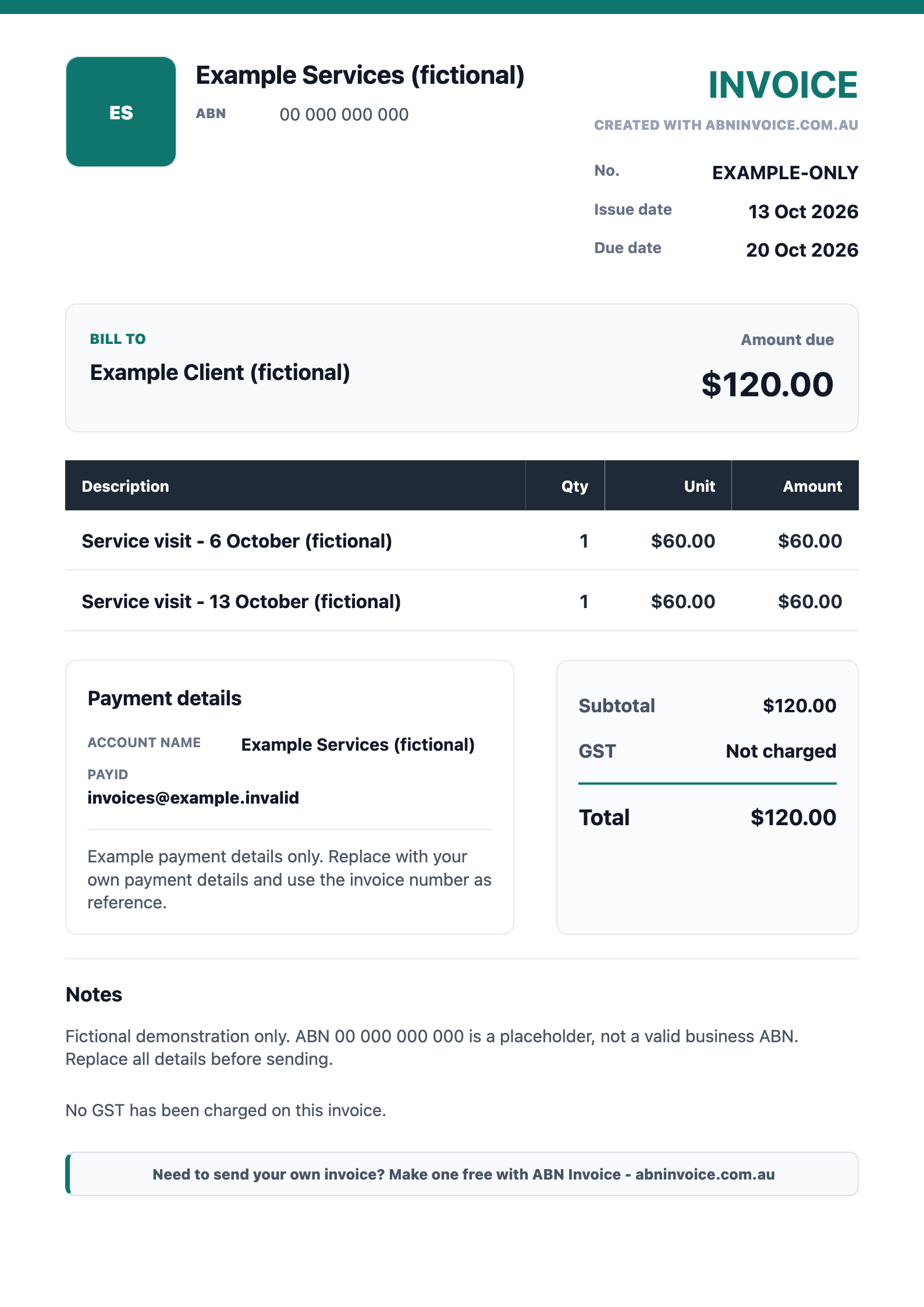
Start without signing in. Local free use includes 3 PDF/image exports per day; free signed-in accounts include 5. Free output carries branding. Occasional invoicing can stay free; consider VIP when frequent billing makes the extra features useful.
Field reference: business.gov.au · ATO tax invoice ruling. Reviewed 13 October 2026.
Finish the task
Use an Australia invoice template workflow that creates the invoice, calculates the total, previews the customer copy, and exports a PDF or phone-friendly image without fixing Word or Excel layout.
Enter your supplier and customer details, invoice dates, work and payment instructions. Check the preview, then export a PDF or image.
Quick answer
ABN Invoice is a free invoice template Australia workflow that behaves like a live invoice generator. Add seller details, ABN fields, customer details, invoice number, item lines, GST or no-GST treatment, totals, due date and payment details, then preview and export a PDF or image without sign-up required to start.
Fast-start promise
Template formats
Many Australian invoice template searches compare file formats. Download editable Word, calculated Excel or fillable PDF templates, or use the online tool to create a finished invoice. Google Docs and Google Sheets remain alternatives for shared manual editing.
| Format intent | ABN Invoice fit | When to choose it |
|---|---|---|
| Live online invoice template | Use ABN Invoice | Best when you want ABN, GST/no-GST fields, calculated totals, live preview, and PDF or image export without fixing layout. |
| PDF invoice output | Supported | Create the invoice in the browser, check the customer copy, then export a polished PDF for email or records. |
| Phone-friendly image output | Supported | Useful for SMS, WhatsApp, WeChat, Messenger, and phone-first customers after a job or appointment. |
| Word or Excel invoice template | Free downloadable files | Download Word for manual editing or Excel for calculated totals. Use the online editor when you want a live preview and PDF or image export. |
| Google Docs or Google Sheets template | Static-file alternative | Good for shared manual editing; ABN Invoice is faster when the goal is to finish and export the invoice from structured fields. |
Related invoice tools
These links are selected for this page's task, so the next checker, example, template, or generator stays relevant to the invoice you are making.
Official reference
ABN Invoice helps with document fields and export. It is not tax, legal, accounting, or financial advice.
Using this resource
Key facts
Choose the format that suits your work, enter the real details and check the finished invoice before sending.
Australian sole traders, freelancers, contractors, and small service businesses comparing invoice templates with a working invoice generator can move from work completed to invoice sent without starting from a blank template.
Export PDF or image files, save history, mark invoices sent or paid, and use archive tools when records need to be handed to an accountant.
Use an Australia invoice template workflow that creates the invoice, calculates the total, previews the customer copy, and exports a PDF or phone-friendly image without fixing Word or Excel layout.
ABN Invoice keeps the document workflow focused: business details, customer details, line items, GST or no-GST treatment, payment details, preview, export, and history. It is built for practical Australian invoicing records rather than a heavy accounting setup.
ABN Invoice is a document creation tool. It does not provide tax, accounting, legal, or financial advice. Check official guidance or your adviser when obligations are unclear.
Choose a downloadable Word, Excel or fillable PDF template for offline work, or open the online editor to calculate totals, preview the invoice and export a finished file.
A live generator is stronger when the invoice needs calculated totals, GST/no-GST choices, repeat customer details, payment details and a clean file export.
The workflow stays focused on the document rather than forcing a full accounting setup before the first invoice can be sent.
These are practical questions that show up around ABN, GST, phone invoicing, and small-job invoice records.
Not necessarily. A Word or Excel template can work, but ABN Invoice lets you fill structured fields, preview the invoice and export a PDF or image without adjusting template spacing.
Yes, you can create invoices with GST fields when GST applies. Use official guidance or an adviser if you are unsure whether your document should be a tax invoice.
Yes. Choose no-GST treatment for the relevant line items and keep the invoice wording clear for the customer.
Start from invoice, receipt or quote mode and choose simple or full editing depending on how much detail is needed.
Add seller details, ABN details, customer, invoice number, issue date, due date, line items, GST/no-GST treatment and payment details.
Check the live customer preview, then export PDF for email or image for phone-first sending.
Continue with the closest ABN Invoice workflows for this search intent.
A practical invoice template usually includes seller details, ABN when relevant, customer details, invoice number, issue date, due date, item descriptions, GST or no-GST treatment, totals and payment details.
Yes. ABN Invoice exports PDF files and phone-friendly image files after you preview the invoice.
No. ABN Invoice is an independent document tool based on public invoice guidance. It is not an official ATO product and does not provide tax advice.
Yes. You can start creating the invoice without sign-up. Free sign-in adds cloud history and reusable records.
For many repeat or mobile jobs, yes. A live generator can calculate totals, preview the customer copy, save records and export clean files without manual layout repair.
Use the ABN invoice template page when the search is specifically about ABN template fields. Use this page for broader Australian invoice template searches.
Yes. Start with the invoice document, then use history and export workflows when repeat invoices need to be handed to an accountant or bookkeeper.
Use the free invoice template Australia page when the user explicitly asks for a free Australian invoice template.
They usually express the same broad need. This page answers both while directing PDF, GST, sole trader, example and online tasks to their more specific pages.
Choose Word for manual editing, Excel for calculated totals, or a fillable PDF for manual amounts. Use the online editor for a live preview and completed PDF or image export.
Yes. Set each real item to the applicable GST or no-GST treatment and check the customer preview before export.